Dual camera, one tap
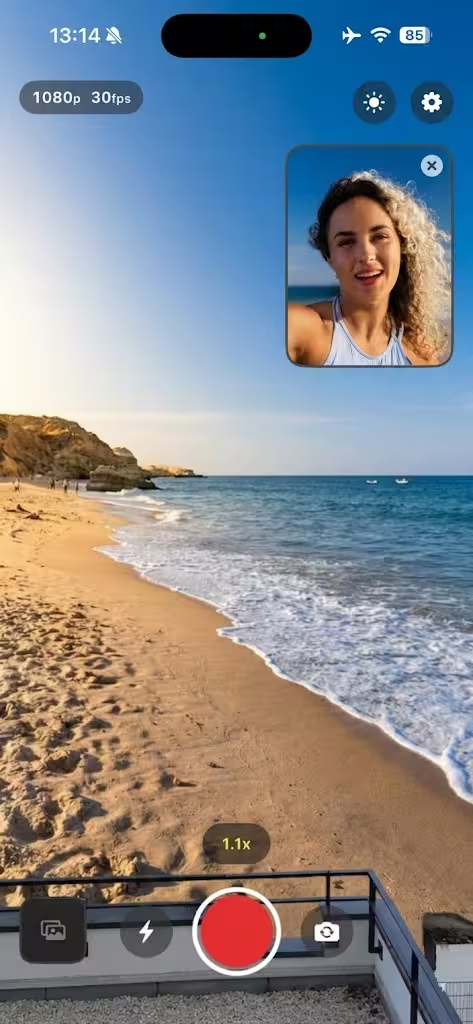
Record front and back at the same time with a draggable, resizable picture-in-picture window. Frame both angles in real time — perfect for vlogs, reactions and tutorials.
A pro dual-camera app for iPhone, iPad and Android. Record front and back at once, monitor exposure with waveform, zebra and focus peaking, and edit straight away — in HEVC or ProRes.
A camera app that thinks like a cinema rig — pro codecs, real-time monitors, and the kind of manual control the stock camera never gives you.
Record front and back at the same time with a draggable, resizable picture-in-picture window. Frame both angles in real time — perfect for vlogs, reactions and tutorials.
H.265 (HEVC), H.264, Apple ProRes 422 and ProRes 4444 in MOV or MP4. From 720p to 4K at up to 60 fps.
A real-time luminance waveform and GPU-accelerated zebra stripes catch blown highlights before you hit record.
Metal-powered edge detection highlights what's tack-sharp in red — nail focus on the first take.
ISO, shutter speed from 1/8000s to 1/4s, exposure bias from −3 to +3 EV, zoom from 1x to 10x with haptics, and tap-to-focus.
Trim, crop with aspect-ratio lock, scale up to 5x, rotate in 90° steps and flip — without ever leaving the app.
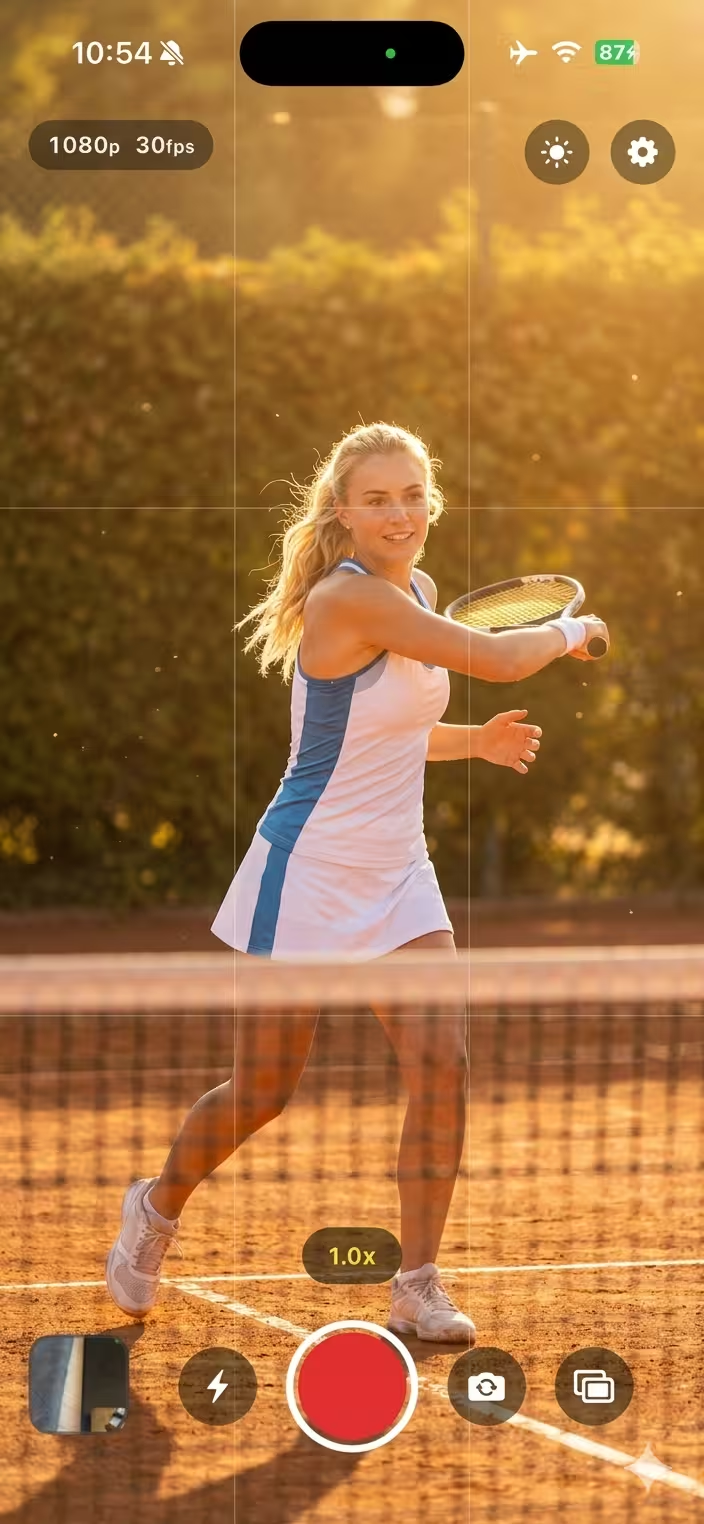
Live overlays show exposure, focus and audio levels at the moment you press record — so the take you walk away with is the one you wanted.
Choose HEVC, H.264, ProRes 422 or ProRes 4444 in MOV or MP4.
Set ISO, shutter speed, exposure bias and zoom — or leave them on auto.
Toggle dual cam and frame the PiP window — front and back, one take.
Trim, crop, rotate and flip — straight from the built-in editor.
All the pro features bundled in — no plug-ins, no in-app purchases, no extra hardware.
Common questions about Duoptra on iPhone, iPad and Android.
Duoptra adds dual-camera recording (front and back at once with picture-in-picture), full manual controls (ISO, shutter speed, exposure bias, zoom, focus), pro monitoring tools (waveform, zebra, focus peaking, audio meter) and pro codecs including HEVC, H.264, ProRes 422 and ProRes 4444 — none of which are exposed by the stock Camera app.
Yes. Duoptra records both cameras simultaneously, with a draggable and resizable picture-in-picture window so you can frame both angles in real time — ideal for vlogs, reactions, tutorials and behind-the-scenes content.
H.265 (HEVC) and H.264 (AVC) in MOV or MP4, plus Apple ProRes 422 and ProRes 4444. Resolutions range from 720p up to 4K at up to 60 fps, with bitrate adapting automatically to the chosen codec and resolution.
A real-time waveform monitor for luminance with overexposure detection, a GPU-accelerated zebra overlay, Metal-powered focus peaking that highlights sharp edges in red, a stereo audio meter with peak-hold indicators and a rule-of-thirds grid.
Yes. Trim clips with start/end handles, crop with an 8-handle overlay and aspect-ratio lock, scale up to 5x, pan, rotate in 90° steps and flip horizontally or vertically. Metadata such as resolution, codec, duration and frame rate is shown alongside the clip.
Yes. Duoptra is free to download on the App Store for iPhone and iPad, and on Google Play for Android. It runs natively on each platform — no account or login required, and all files stay on your device.